Posts

Showing posts with the label javascript

Refreshing the portlet at certain intervals in liferay

In our Project we have requirement to refresh the portlet at certain interval of times. Thanks to liferay we have utility method to get the refreshURL. Have a look into the  PortletURLUtil class. we have  getRefreshURL (---....)  method to the current portlet URL. So we have used in the following way in the jsp. As already we know "request" and "themeDisplay" Objects are predefined objects. <%@page import="com.liferay.portlet.PortletURLUtil"%> <script type="text/javascript"> setTimeout(openUrl, 5000); // Wait 5 seconds function openUrl(){    window.open('<%=PortletURLUtil.getRefreshURL(request, themeDisplay) %>'); } </script> Thats it will refresh the portlet for every 5 seconds. In  PortletURLUtil   also we have one more method to clone the URL,  clone (----) public static PortletURL clone( PortletURL portletURL, MimeResponse mimeResponse) throws PortletException { ---- --- } ...
Creating URL in Javascript in Liferay

Sometimes it may requires to create URL in Javascript. In Liferay we can create any URL in Javascript.  In Normal Case we can create Action URL as            < portlet:actionURL var="testURL" name="update" /> In Javascript we create as           <aui:script>            AUI().ready('liferay-portlet-url', function(A){           var actionURL = Liferay.PortletURL. createActionURL ();          actionURL .setParameter("cmd", "test");            });          </aui:script>    To create renderURL we put as Liferay.PortletURL. createRenderURL() ; in above script.    To Create resourceURL we put as Liferay.PortletURL. createResourceURL() ; Refer "LiferayPortletURL" interface to get more idea. Apart from the setting the parameter(...

Refreshing the portlet through the javascript

Some times it may require our portlet when some action performed. We can refresh liferay portlet through the javascript. <script type="text/javascript"> jQuery(document).ready(function() {           Liferay.Portlet.refresh('#p_p_id_ testjson_WAR_testjson _'); } </script> Bold word is the portlet name

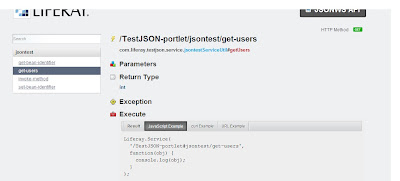
Accessing JSON through javascript in custom portlet

Image
Scenrio:           Accessing the other custom portlet JSON services in our custom portlet through the javascript. Step:1 Enable remote-servie = true in service.xml as shown and build service to generate the services <service-builder package-path="com.liferay.testjson"> <namespace>custom</namespace>          <entity name="jsontest" remote-service="true" local-service="true" uuid="true">                      <column name="id" type="int" primary="true" />                       <column name="name" type="String"></column>                     <column name="desc" type="String"></column>     </entity>   </service-builder> Step2:   Open the class XXXXServiceImpl.class ...